Table of Contents
Introduction
Variables in Java are used to store data that can be used and changed during program execution. Every Java program relies on variables to hold information such as numbers, text, or logical values. A variable acts as a container that stores data in memory, allowing developers to perform operations and manipulate values easily.
Java is a strongly typed language, which means every variable must be declared with a specific data type. Understanding variables is essential for learning Java because variables are used in almost every part of a program, including conditions, loops, methods, and objects.
In this article, you will learn what variables are in Java, different types of variables, variable scope, and simple examples to help you understand the concept clearly.
What Is a Variable in Java?
A variable is a named memory location that stores a value. The value of a variable can change during the execution of a program.
Example:
int number = 10;Here:
intis the data typenumberis the variable name10is the value stored in the variable
How to Declare a Variable in Java
The general syntax to declare a variable is:
dataType variableName = value;Example:
String message = "Hello";Types of Variables in Java
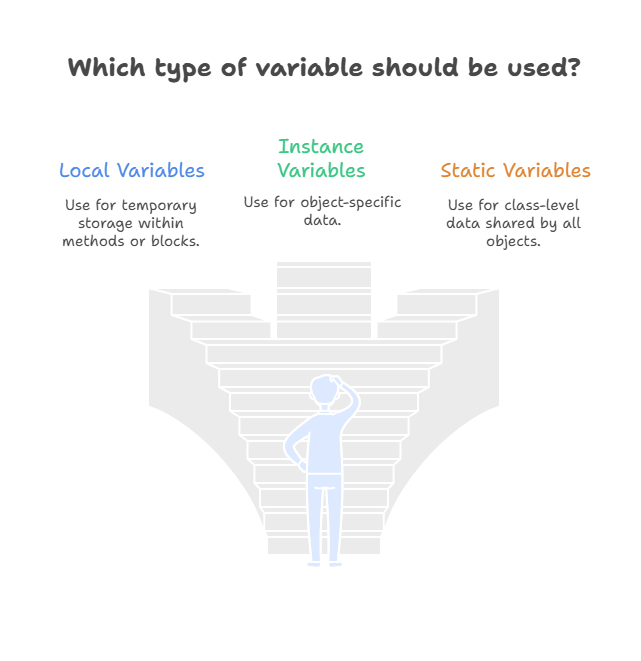
Java variables are mainly divided into three types:
- Local Variables
- Instance Variables
- Static Variables
1. Local Variables
Local variables are declared inside methods, constructors, or blocks. They are created when the method is called and destroyed once the method finishes execution.
Example:
void showNumber() {
    int value = 5;
    System.out.println(value);
}
Characteristics of Local Variables:
- Declared inside methods or blocks
- No default value
- Must be initialized before use
- Scope limited to the block in which they are declared
2. Instance Variables
Instance variables are declared inside a class but outside methods. They belong to an object of the class, and each object gets its own copy of instance variables.
Example:
class Person {
    String name;
    int age;
}
Characteristics of Instance Variables:
- Declared at class level
- Have default values
- Stored in heap memory
- Each object has a separate copy
3. Static Variables
Static variables are declared using the static keyword. They belong to the class rather than any specific object. All objects of the class share the same static variable.
Example:
class Counter {
    static int count = 0;
}
Characteristics of Static Variables:
- Declared using
statickeyword - Single shared copy
- Memory allocated once
- Used for constants and common data
Diagram- Types of Variables in Java
Variable Scope in Java
Scope defines where a variable can be accessed in a program. Using a variable outside its scope will cause a compilation error.
Local Variable Scope
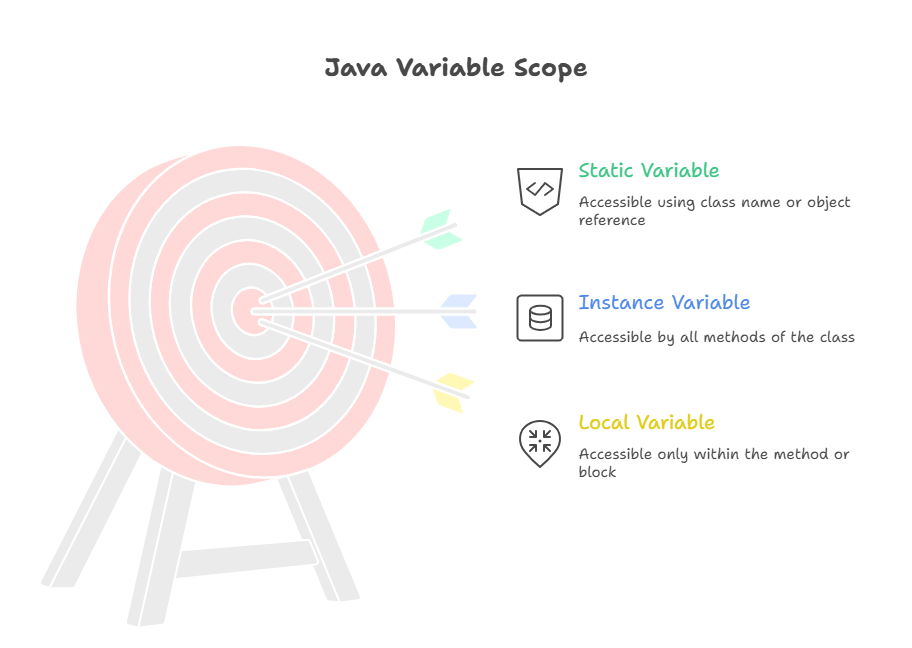
Local variables are accessible only within the method or block where they are declared.
void display() {
    int x = 10;
    System.out.println(x);
}
Instance Variable Scope
Instance variables can be accessed by all methods of the class, using object reference.
class Sample {
    int value = 20;

    void show() {
        System.out.println(value);
    }
}
Static Variable Scope
Static variables are accessible using the class name or object reference.
class Test {
    static int data = 100;
}
Variable Scope Representation
Default Values of Variables
- Local variables: ❌ No default value
- Instance variables: ✔ Default values
- Static variables: ✔ Default values
Example default values:
- int → 0
- boolean → false
- String → null
Common Beginner Mistakes
- Using local variables without initialization
- Confusing instance and static variables
- Using static variables unnecessarily
- Declaring too many global variables
Avoiding these mistakes leads to cleaner and safer code.
Key Takeaways – Variables in Java
- A variable is a named memory location used to store data.
- Java is a strongly typed language, so every variable must have a data type.
- There are three types of variables in Java: local, instance, and static.
- Local variables are limited to methods or blocks and have no default values.
- Instance variables belong to objects and get default values.
- Static variables are shared across all objects of a class.
- Variable scope defines where a variable can be accessed.
- Choosing the correct variable type improves code clarity and performance.
Java Interview Questions – Variables in Java
1. What is a variable in Java?
A variable is a named memory location that stores data which can be changed during program execution.
2. What are the types of variables in Java?
Java has three types of variables:
- Local variables
- Instance variables
- Static variables
3. What is the difference between local and instance variables?
Local variables are declared inside methods and have no default values, while instance variables are declared at class level and get default values.
4. What is a static variable in Java?
A static variable belongs to the class, not to objects. Only one copy exists and it is shared among all objects of the class.
5. Do local variables have default values?
No, local variables do not get default values and must be initialized before use.
6. Where are variables stored in memory?
- Local variables → Stack memory
- Instance variables → Heap memory
- Static variables → Method area / Class memory
7. Can we access instance variables without creating an object?
No, instance variables require an object to be accessed.
8. Why should static variables be used carefully?
Because static variables are shared across all objects, improper use can lead to unexpected results.
What’s Next?
Now that you understand variables in Java, the next step is to learn how Java uses variables to perform operations and make decisions.
Here’s what you should read next:
👉 Operators in Java
Learn arithmetic, relational, logical, and assignment operators with truth tables and simple examples.
👉 Control Statements in Java
Understand if, else, switch, and loops to control program flow.
👉 Methods in Java
Learn how to write reusable code using methods, parameters, and return values.
These topics will help you move from basic syntax to real Java programming logic.