

Table of Contents
- Introduction
- What Is an ArrayList in Java?
- Why Do We Need ArrayList?
- ArrayList vs Array
- Declaring an ArrayList
- Creating and Initializing an ArrayList
- Adding Elements to an ArrayList
- Accessing ArrayList Elements
- Updating Elements
- Removing Elements
- Looping Through an ArrayList
- ArrayList Size
- Commonly Used ArrayList Methods
- How ArrayList Grows Internally
- Advantages of ArrayList
- Limitations of ArrayList
- Key Takeaways
- Java Interview Questions – ArrayList
- What’s Next?
Introduction
In the last article, we learned about arrays in Java and saw that arrays have a fixed size once created. But in real applications, we often don’t know in advance how many elements we’ll need to store.
This is where ArrayList comes in — a resizable, dynamic alternative to arrays that’s part of Java’s Collections Framework.
In this article, we’ll understand ArrayList in a simple, beginner-friendly way, using easy examples and clear explanations.
What Is an ArrayList in Java?
An ArrayList is a resizable array implementation from the java.util package that can grow or shrink automatically as you add or remove elements.
In simple words, unlike a normal array, an ArrayList doesn’t need a fixed size — it adjusts itself.
import java.util.ArrayList;
Why Do We Need ArrayList?
ArrayList helps:
- Store data without knowing the size in advance
- Add or remove elements dynamically
- Use built-in methods instead of writing manual logic
- Work seamlessly with the Collections Framework
- Avoid
ArrayIndexOutOfBoundsExceptionissues from fixed-size arrays
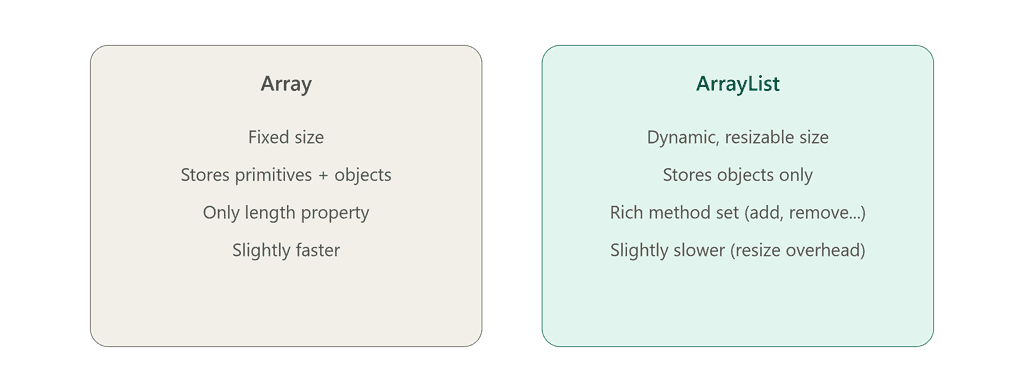
ArrayList vs Array
| Feature | Array | ArrayList |
|---|---|---|
| Size | Fixed | Dynamic (resizable) |
| Data types | Primitives + Objects | Objects only (uses wrapper classes for primitives) |
| Performance | Slightly faster | Slightly slower (extra overhead) |
| Methods | Limited (length) | Rich set (add(), remove(), contains(), etc.) |
| Package | Built into the language | java.util.ArrayList |

Declaring an ArrayList
Syntax:
ArrayList<Type> listName;
Example:
ArrayList<Integer> numbers;
Note: ArrayList only works with object types, so for primitives we use their wrapper classes (int → Integer, double → Double, etc.).
Creating and Initializing an ArrayList
Using new keyword:
ArrayList<Integer> numbers = new ArrayList<>();
Initializing with values:
ArrayList<String> fruits = new ArrayList<>(List.of("Apple", "Banana", "Mango"));
Java automatically manages the internal size — you don’t specify a length upfront.
Adding Elements to an ArrayList
ArrayList<String> fruits = new ArrayList<>();

fruits.add("Apple");
fruits.add("Banana");
fruits.add("Mango");
You can also add an element at a specific index:
fruits.add(1, "Orange"); // inserts at index 1
Accessing ArrayList Elements
Elements are accessed using the get() method and their index.
ArrayList<String> fruits = new ArrayList<>();
fruits.add("Apple");
fruits.add("Banana");

System.out.println(fruits.get(0)); // Apple
System.out.println(fruits.get(1)); // Banana
Updating Elements
Use the set() method to update a value at a given index.
fruits.set(0, "Pineapple");
Removing Elements
fruits.remove("Banana");   // removes by value
fruits.remove(0);          // removes by index
Looping Through an ArrayList
Using for loop:
for (int i = 0; i < fruits.size(); i++) {
    System.out.println(fruits.get(i));
}
Using enhanced for-each loop:
for (String fruit : fruits) {
    System.out.println(fruit);
}
ArrayList Size
Java provides a built-in method called size().
int total = fruits.size();
This is the ArrayList equivalent of the length property in arrays.
Commonly Used ArrayList Methods
| Method | Description |
|---|---|
add(element) | Adds an element to the list |
get(index) | Returns element at given index |
set(index, element) | Updates element at given index |
remove(index/element) | Removes an element |
size() | Returns number of elements |
contains(element) | Checks if an element exists |
indexOf(element) | Returns index of an element |
clear() | Removes all elements |
isEmpty() | Checks if the list is empty |
How ArrayList Grows Internally
Internally, ArrayList is backed by a regular array. When it runs out of space, Java automatically creates a new, larger array (typically 1.5x the current size) and copies the existing elements into it.
This is why ArrayList “feels” dynamic even though it’s built on top of a fixed-size array.
Advantages of ArrayList
- Dynamic resizing
- Rich set of built-in methods
- Easy to search, insert, and remove elements
- Works well with generics for type safety
Limitations of ArrayList
- Slightly slower than arrays due to internal resizing
- Cannot store primitive types directly (needs wrapper classes)
- Not synchronized (not thread-safe by default)
These limitations are addressed by other collection classes like LinkedList and Vector, covered later.
Key Takeaways
- ArrayList is a resizable array from
java.util. - Unlike arrays, ArrayList size grows and shrinks automatically.
- Common operations:
add(),get(),set(),remove(),size(). - ArrayList stores objects, not primitives directly.
- Internally backed by an array that resizes when full.
Java Interview Questions – ArrayList
1. What is an ArrayList in Java? A resizable array implementation from the Collections Framework that can grow or shrink dynamically.
2. What is the difference between Array and ArrayList? Array has a fixed size and can store primitives; ArrayList is dynamic and stores only objects.
3. Is ArrayList synchronized? No, ArrayList is not synchronized by default. Vector is the synchronized alternative.
4. Can ArrayList store primitive types? No, it stores objects only — primitives must be wrapped (e.g., int → Integer).
5. How does ArrayList grow internally? When full, it creates a new larger array (about 1.5x size) and copies existing elements into it.
6. What is the default initial capacity of an ArrayList? 10, if no initial capacity is specified.
7. Difference between size() and capacity() of an ArrayList? size() gives the number of elements currently stored; capacity is the internal array’s total allocated space (not directly exposed via a public method).
8. Which interface does ArrayList implement? It implements the List interface (and in turn Collection, Iterable).
What’s Next?
Now that you understand ArrayList, the next important concept is LinkedList, which stores elements differently and solves some of ArrayList’s limitations.
LinkedList in Java Learn how LinkedList works internally, and when to prefer it over ArrayList.